Roofing · Estimating & job review
Know what went into the bid.
See what came out of the job.
The Roof Bid & Profit Workbook brings your estimate and actual job results into one place—using your costs, not industry guesses.
Excel + Google Sheets · One-time digital purchase
View workbook & purchaseSee inside the workbookSold by Nightingale Enterprises. Switchyard Press is part of the same business.
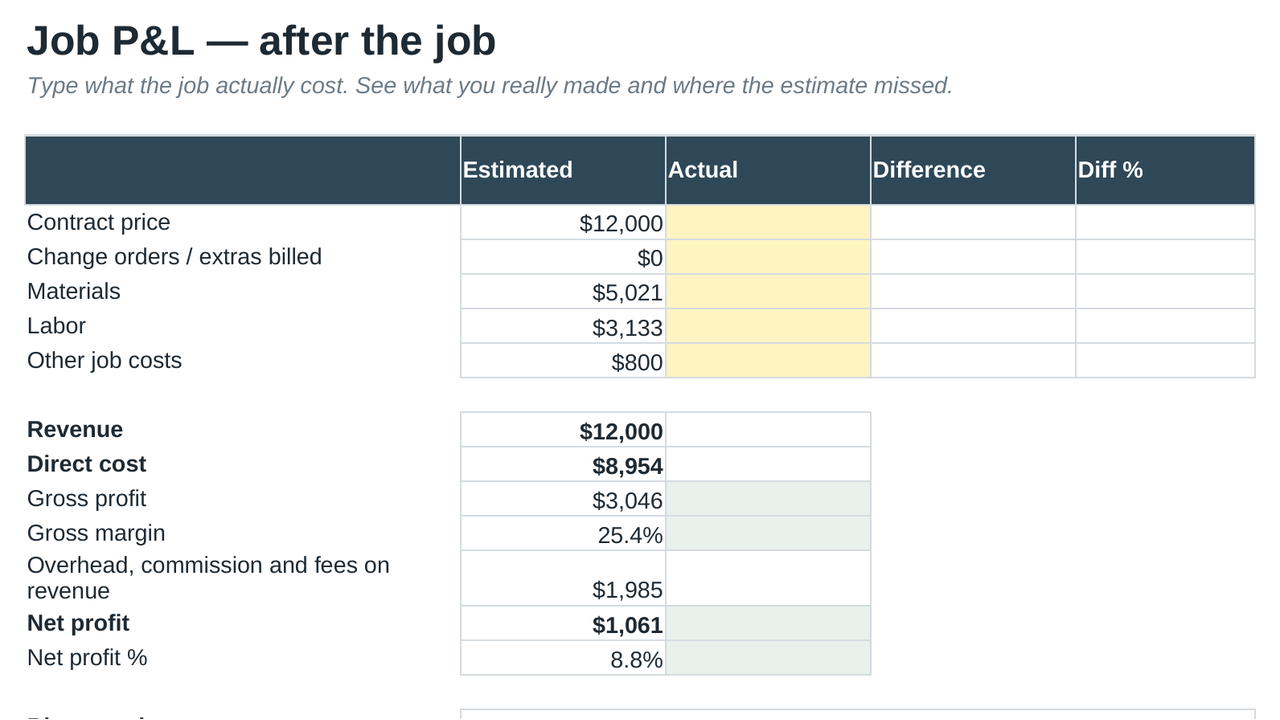
A repeatable review
From your estimate
to the job record.
For roofing contractors—and restoration businesses that also quote roofing work—who want a structured spreadsheet for pricing and reviewing jobs.
- Start with your inputs.Replace example material prices, coverage rates and costs with your supplier quotes and applicable specifications.
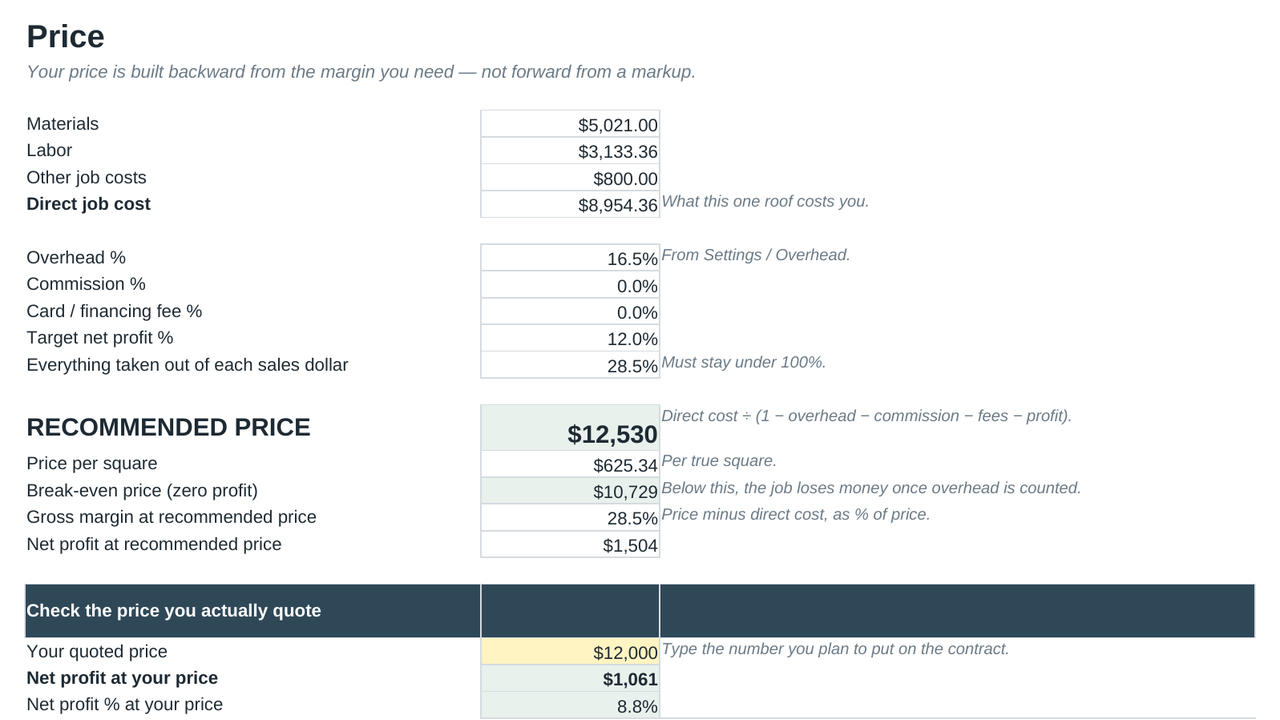
- Review the price.Use the workbook’s pricing tab to examine the estimate before you commit.
- Compare with what happened.Enter actual job results and investigate the differences before pricing similar work.
See the working file
A tool you can inspect.
The preview shows the actual pricing tab. There is no separate app to learn and no workbook subscription.
Desktop Excel or Google Sheets is recommended for entering and reviewing a full estimate. This is a spreadsheet, not a mobile estimating app.
Before you buy
Clear expectations.
What am I purchasing?
The existing Roof Bid & Profit Workbook digital download, with Excel and Google Sheets support. Review the current package contents and purchase terms on the secure product screen.
Does it provide local prices or guarantee profit?
No. You provide your own job inputs, costs and specifications. Example figures are illustrative. The workbook does not guarantee profit or replace your estimating judgment.
Are Excel and Google Sheets identical?
Google Sheets does not retain Excel cell protection. Edit the designated yellow input cells and follow the included instructions. Some converted validation behavior can differ.
How are payment and delivery handled?
Gumroad processes the purchase and provides the existing download. Its checkout opens when you buy. Current price, applicable tax and refund terms are shown before payment.
Your next job review starts here.
Put your next bid
beside the actual results.
See the current price and purchase terms on the secure product screen.
View price & buy the workbook →If the purchase window does not open, open secure purchase details.